
Getting started
How to track a ride
Start, pause and end a ride recording in Mountain Passes, understand auto-pause, and what happens if the app is closed or you forget to stop.
Video guide coming soon. The written steps below cover the same ground.
A ride is a day on the road: the GPS track, the passes you crossed, the kilometres, the climbing, the stops and the places you marked. It is also where pass detection happens, so a ride is the thing to start before you set off. Ride tracking with auto-pause is free.
Before you start
- Location access set up (two-minute setup).
- Free. Live tracking, auto-pause and automatic pass detection are all in the free app.
Steps
- Open the Ride tab and tap Start Ride. Recording begins immediately; there is nothing to name or configure.
- Put the phone away. The map draws your route as you go and the sheet at the bottom shows Recording with the running time. Above it are your live stats: speed, distance, altitude and climbing.
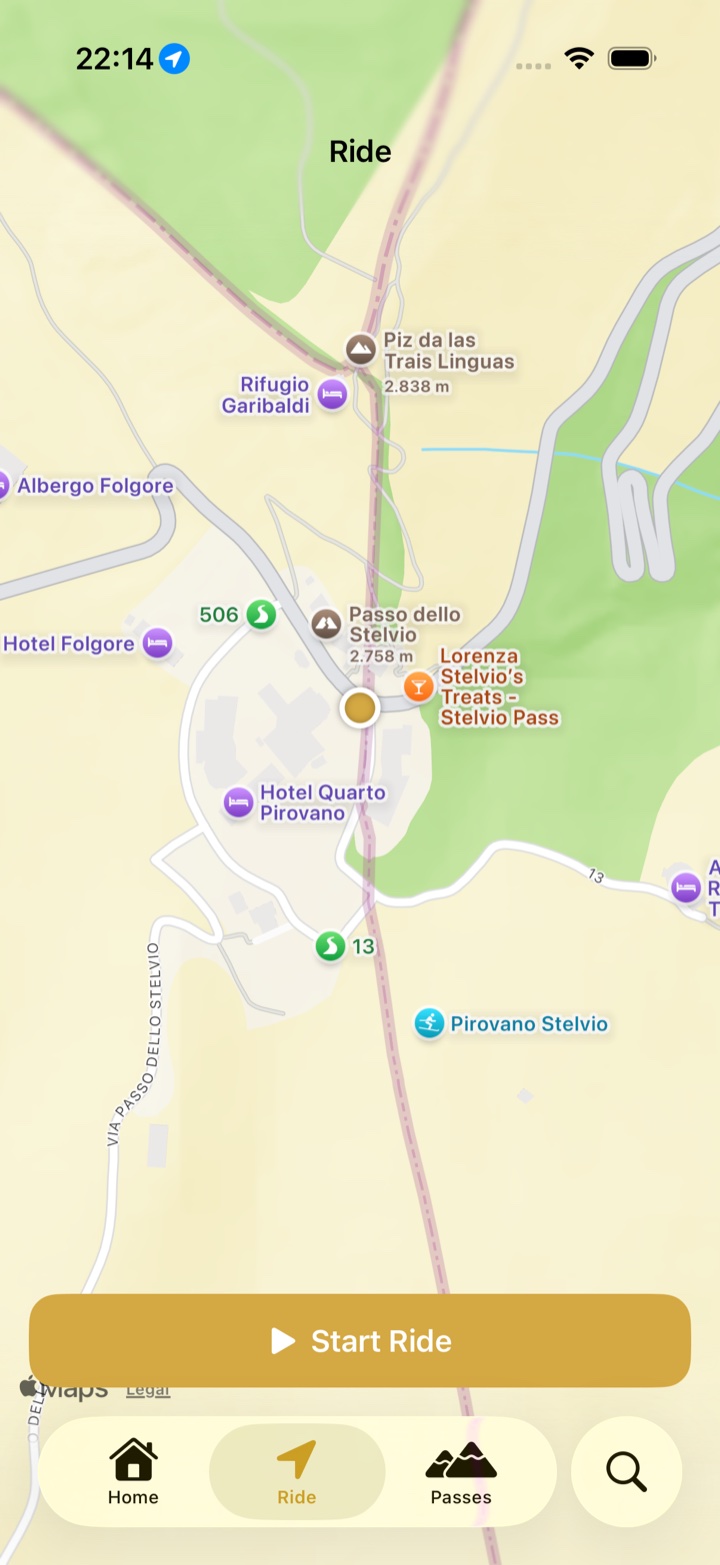
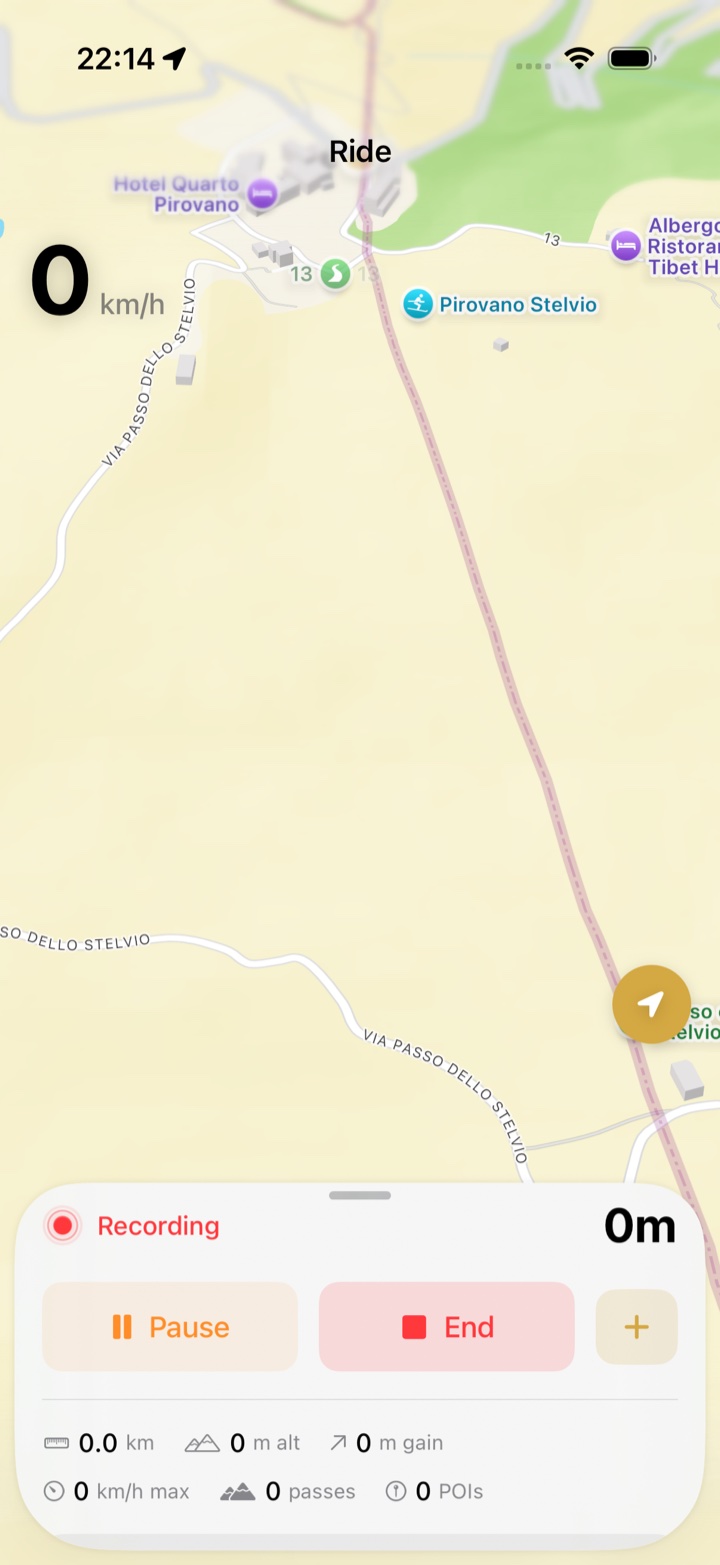
- Stopped for a coffee? After 30 seconds standing still the ride auto-pauses, so the stop does not count as riding time. It resumes on its own as soon as you are moving again (a little over 5 km/h). To pause by hand tap Pause; a manual pause stays paused until you tap Resume.
- Crossed a pass? It appears on the ride screen and in the ride's pass list the moment the app confirms the crossing. Missed one, or want to add a viewpoint? Tap + on the ride sheet for Log Pass and Add Place.
- At the end of the day tap End. The ride opens in review with the map, the passes, the statistics and the ride's name, which the app suggests from where you rode.
Where to find it in the app
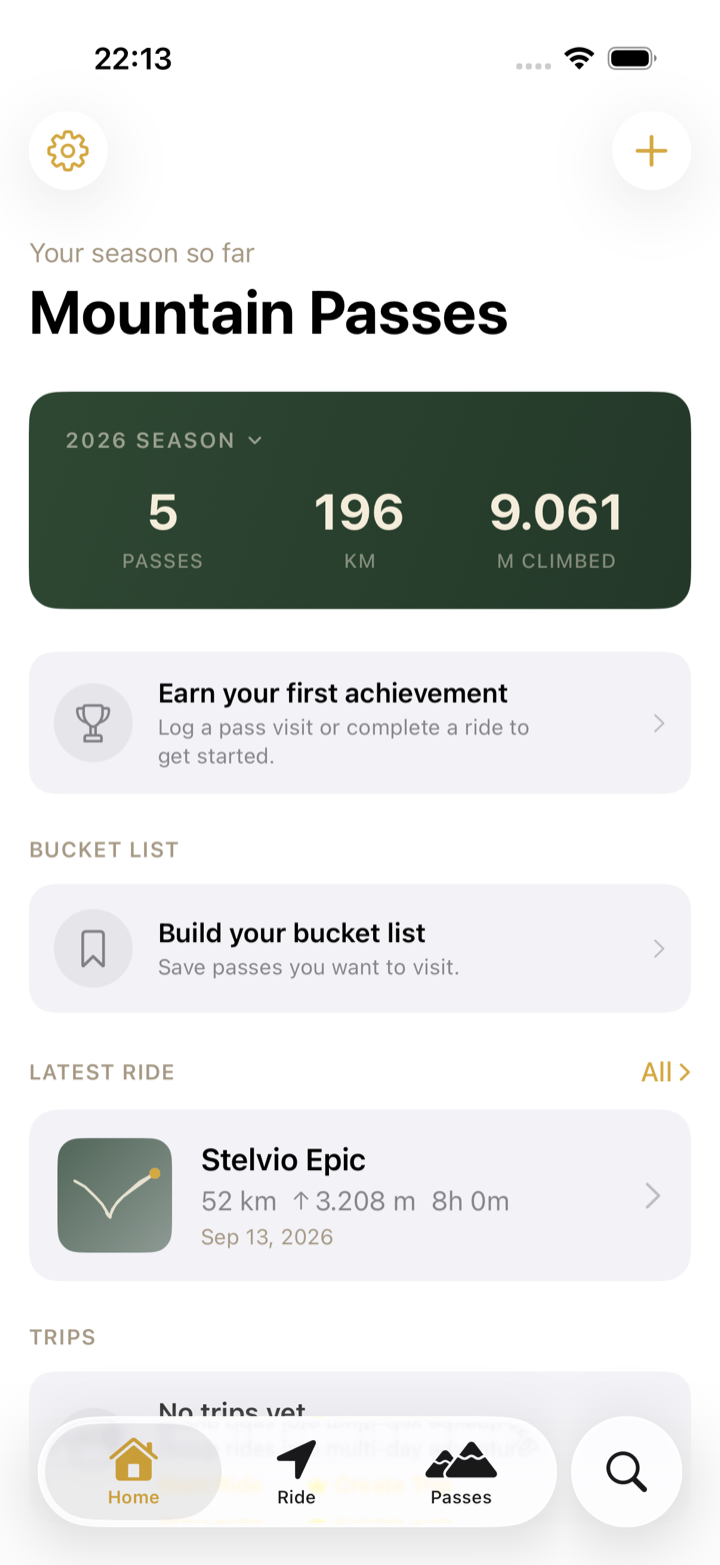
- Home shows the latest ride and links to All Rides, newest first. Tap a ride for its map, passes, statistics and places.
- Search finds rides as well as passes.
- To rename a ride or change its start and end time, open the ride, tap ⋯ and choose Edit Ride.
- Pro users can group rides into a trip and see the ride's full Ride Story timeline.
Troubleshooting
- I forgot to stop the ride. Tap End now, then ⋯ › Edit Ride and set the End time. Time spent standing still is already excluded by auto-pause.
- The ride paused while I was moving. Auto-pause looks at GPS speed. Walking pace, a traffic jam or a slow single-track can look like a stop. It resumes on its own once you are moving again, or tap Resume.
- I closed the app or the phone restarted. The ride is saved every 30 seconds. Open Mountain Passes again and it picks the recording back up, with a gap for the time it was closed.
- The ride was only a few metres long. Ending it asks Discard this ride? so accidental starts do not clutter your history. Choose Save Anyway to keep it.
- A pass is missing from the ride. See Why a pass didn't log or add it by hand.