
Your story
Group rides into a multi-day trip
Combine several rides into one trip in Mountain Passes so a whole tour becomes a single story with all its passes, kilometres, days and places.
Video guide coming soon. The written steps below cover the same ground.
Stelvio on day one, Gavia on day two, Mortirolo on the way home: a trip stitches those rides into one overview with the combined map, every pass, the total kilometres and the day count. Trips are a Pro feature; rides you already have can be added at any time.
Before you start
- Mountain Passes Pro. Creating a trip needs it; trips you created during a trial stay visible afterwards.
- A ride can belong to one trip at a time.
Steps
On Home, tap + in the top-right corner and choose New Trip. (The Trips section on Home and its Create First Trip button lead to the same place.)
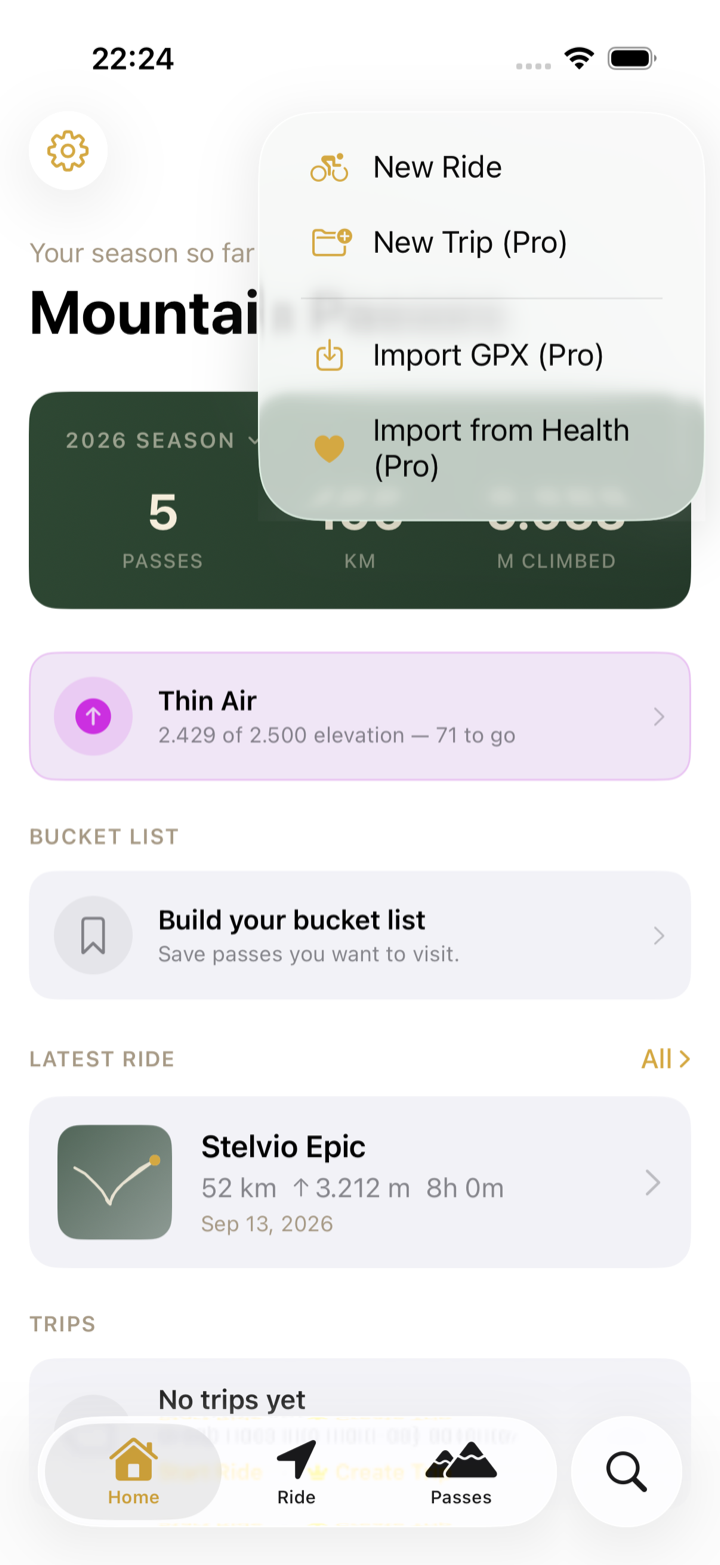
Give it a Trip Name, optionally Add Cover Photo and a note, then tap Create.
Open the trip, tap ⋯ and choose Add Ride. Pick the rides that belong to it; only rides not yet in another trip are offered.
The trip page shows the combined map of every ride that has a GPS route, the passes, the statistics and a Day x of y label on each ride.
Later rides can be added from the other direction: open the ride, tap ⋯ › Add to Trip… and pick the trip, or choose New Trip right there.
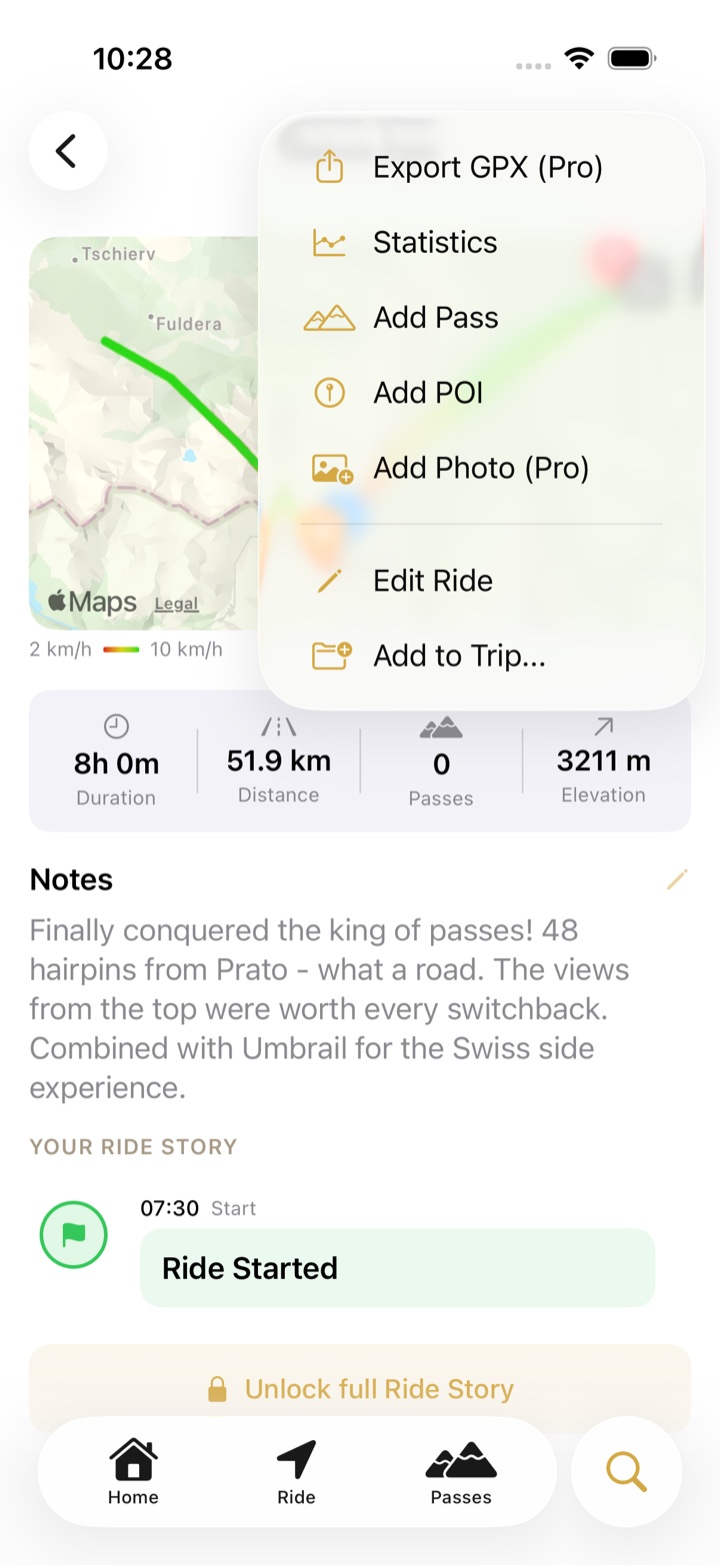
Where to find it in the app
- Home › Trips lists your trips with day count, ride count and passes.
- Inside a ride, Part of … shows which trip it belongs to.
- ⋯ on a trip also offers Import GPX (a GPX file becomes a new ride inside the trip), Edit Trip for the name and notes, and Delete Trip.
Troubleshooting
- A ride is not offered in Add Ride. It is already in another trip. Open the ride and choose ⋯ › Remove from Trip first.
- The order is wrong. Rides sort by start time. Open the ride, tap ⋯ › Edit Ride and correct the Start time.
- Deleting a trip deletes my rides? No. Deleting a trip, or removing a ride from it, keeps every ride and its passes.