
Your story
Mark the places that matter: viewpoints, coffee stops, photos and notes
Pin a place during a ride in Mountain Passes, add photos and notes to your passes and rides, and find them again on the map and in the Ride Story.
A viewpoint, the perfect coffee stop, the mechanic who saved your ride. Places pin those spots to the ride with a category and a note, and stay on the map for next time. Photos and notes attach to pass visits and to rides. Places, visit photos and notes are free; photos on rides and the full Ride Story timeline are Pro.
Steps: add a place during a ride
While a ride is recording, tap + on the ride sheet and choose Add Place.
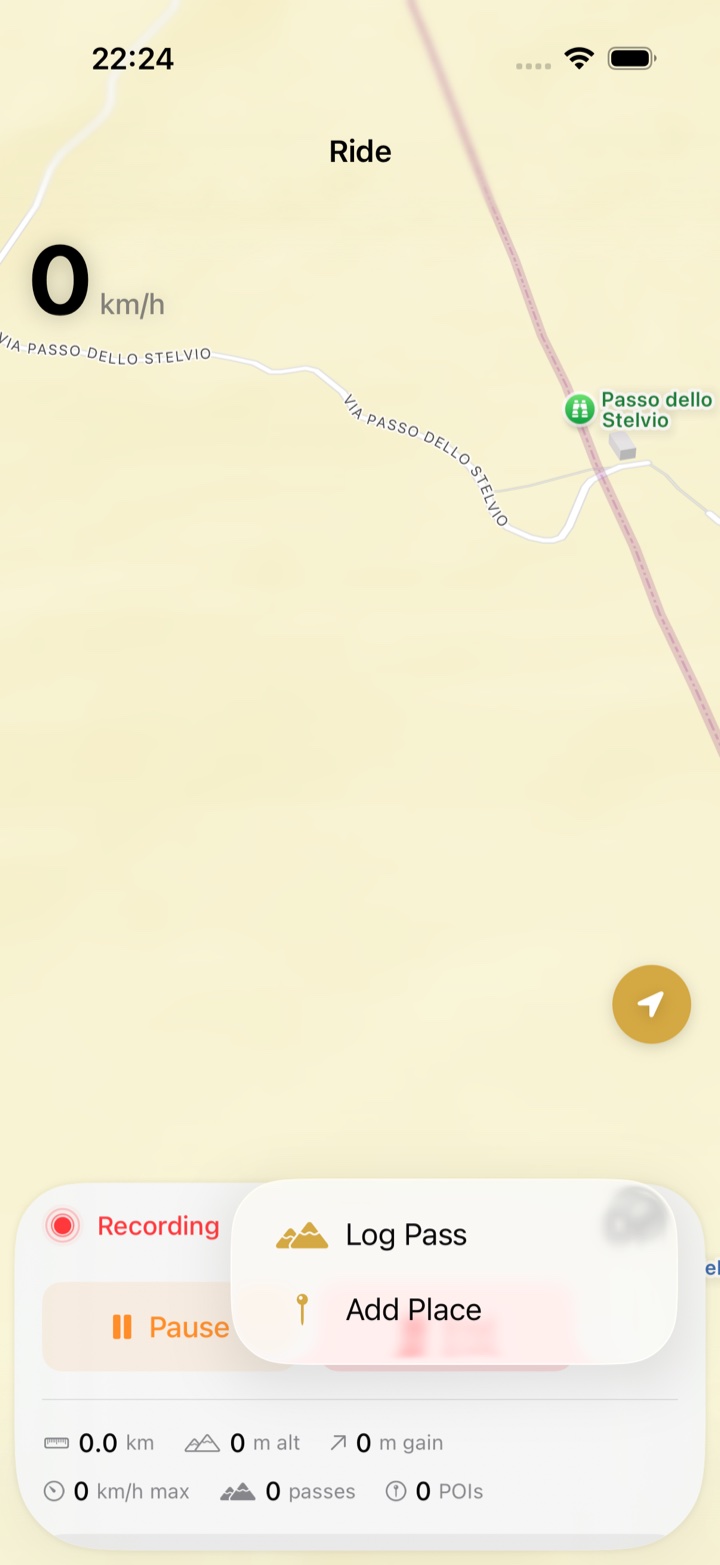
Pick a category: Gas Station, Viewpoint, Restaurant, Parking, Hotel, Campsite, Photo Spot, Mechanic, Rest Area or Other.
Optionally give it a name and a note. The place is pinned at your current position.
Tap Save.
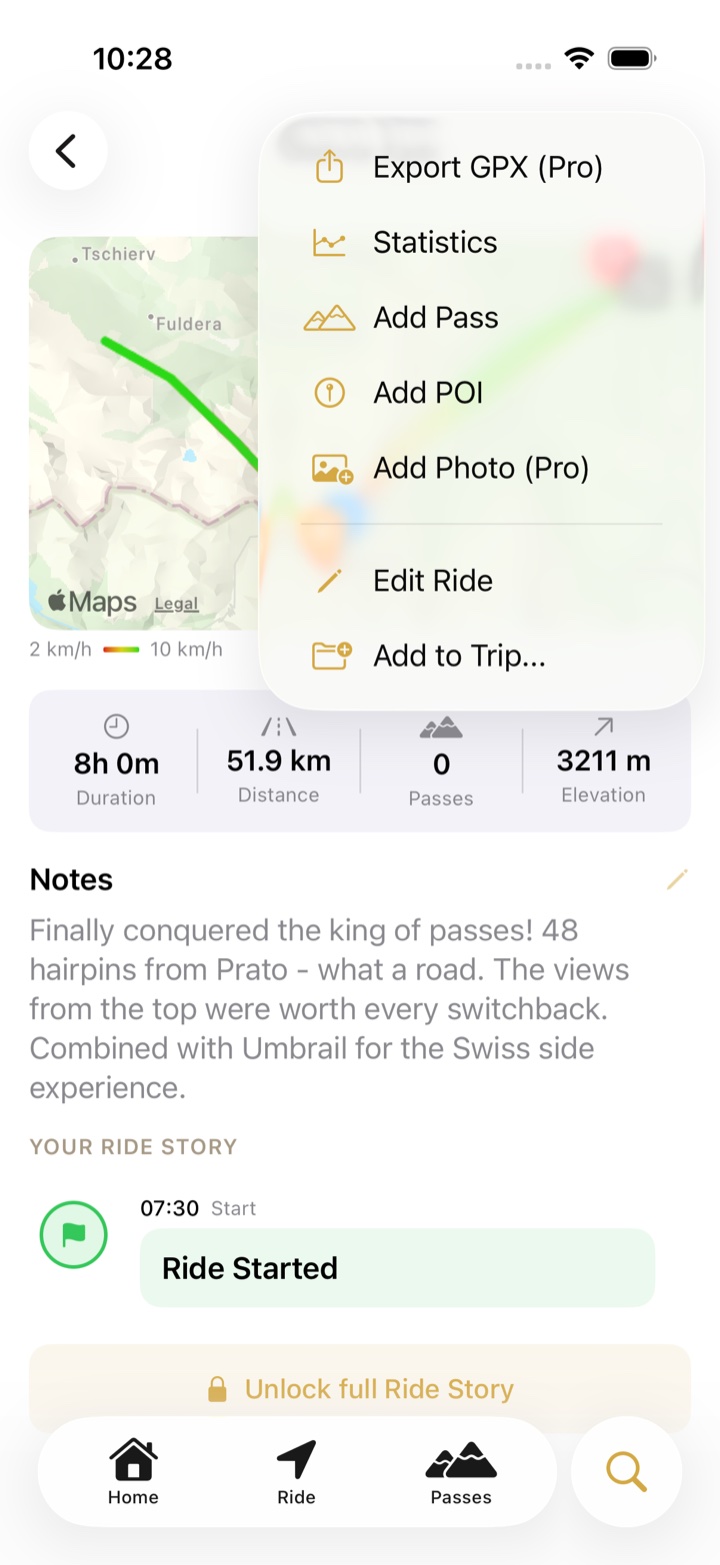
Forgot one? After the ride, open it and tap ⋯ › Add POI. You can then choose Select on map to drop the pin where the place actually was.
Photos and notes
- Pass visits: open the pass, tap Log (or open an existing visit) and add as many Photos as you like plus a Note and up to two What stood out? tags. Free.
- Rides: ⋯ › Edit Ride for a note on the whole day. ⋯ › Add Photo attaches photos to the ride itself and is Pro.
- Ride Story: the timeline that lays passes, places and photos out in the order they happened. Free users see the start of it; the full timeline is Pro.
Where they show up
- On the map behind the Passes tab, with Map Options › My Places switched on. Tap a pin to open it, edit it or delete it.
- On the ride's page and in its Ride Story, between the passes.
- Photos on a pass visit sit on the pass page under that visit.
Troubleshooting
- The place is in the wrong spot. Edit changes the name, category and note but not the position. Delete the place and add it again from the ride with ⋯ › Add POI › Select on map.
- I want to add a place without a ride. Places are created from a ride, either while recording or afterwards with ⋯ › Add POI.
- Photos take up iCloud space. Photos are stored with your data and sync through iCloud. Very large libraries take a while on the first sync.