
Companions and trust
Why a pass didn't log, and how to fix it
The common reasons Mountain Passes misses a crossing, from no ride recording to a tight detection radius, Low Power Mode and tunnels, and how to add the visit afterwards.
You crossed a pass and the app did not notice. Nine times out of ten it is one of the checks below, and the visit can be added by hand in a few seconds either way.
Check these first
Was a ride recording? Pass detection runs during a ride, not while the app sits idle. If the Ride tab was showing Start Ride at the time, nothing was listening. Start a ride before you set off; a Shortcuts automation can do it for you.
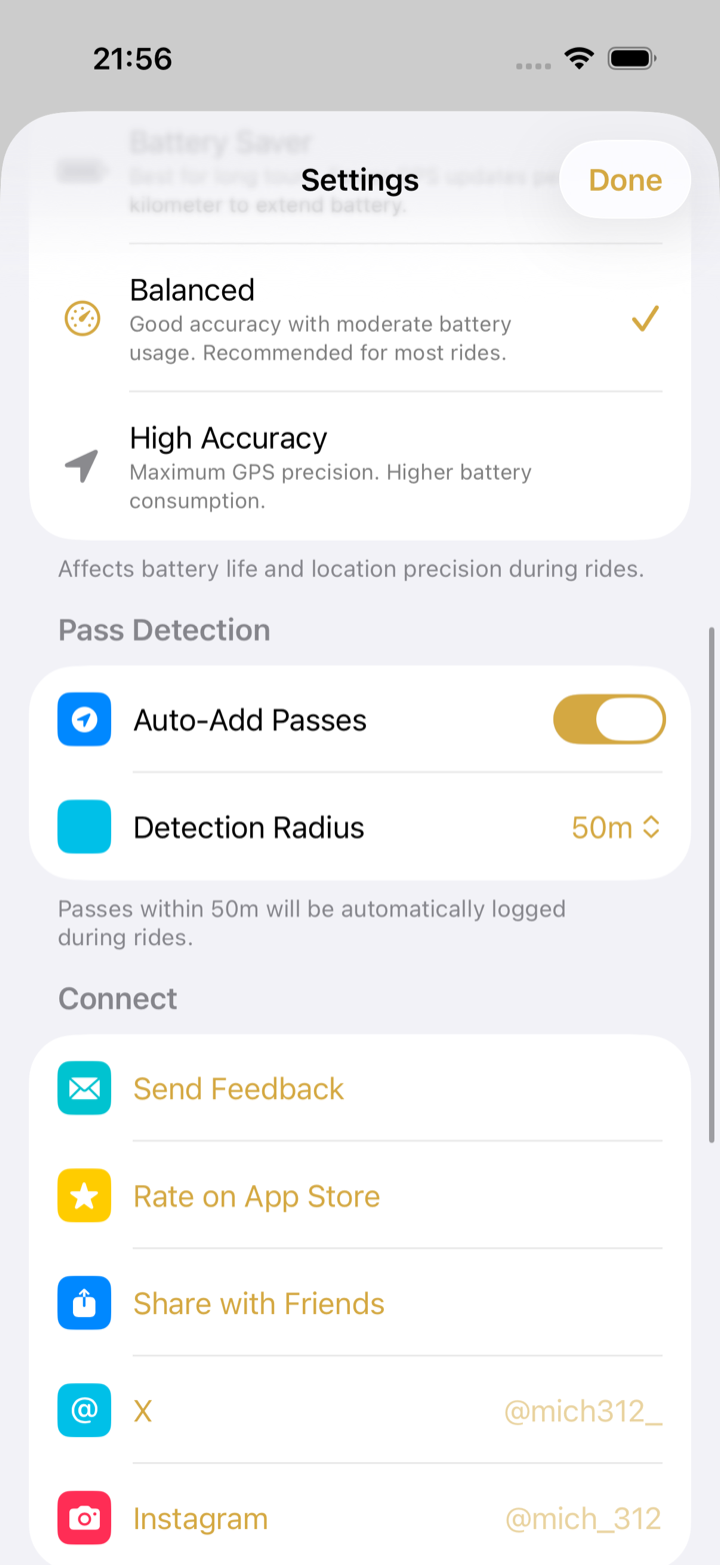
Is Auto-Add Passes on? In Home › Settings › Pass Detection, with Auto-Add Passes off the app only shows a Pass Detected! alert and waits for you to tap Log Visit. Easy to miss with the phone in a pocket.
Is the detection radius big enough? The default is 50 m from the summit marker. If the road runs below the marker, or the phone sat deep in a tank bag, raise it to 100 m or 200 m in the same settings section.
Location access with Precise Location. iOS Settings › Apps › Mountain Passes › Location should say While Using the App or Always, with Precise Location on. Without precise location the app cannot tell the summit from the slope.
Low Power Mode and Battery Saver. Low Power Mode throttles background location, and the app's own Battery Saver GPS mode takes fewer fixes. Use Balanced for a day with passes on it, and charge on the bike.
Did the app get closed? Swiping Mountain Passes away in the app switcher, or a phone restart, ends the GPS session. The app resumes the ride when you reopen it, but the crossing in between is lost.
Did the phone have a fix? A tunnel at the summit, a metal pannier, or a phone that stayed indoors in a top case can all lose GPS. Detection resumes when the signal comes back, but the summit may already be behind you.
Is the pass in the catalogue? Search for it. If it is missing, tap Add in the Passes tab to create it and leave Suggest for main database on.
Add the visit now
If the crossing belongs to a ride, open the ride and tap ⋯ › Add Pass, pick the pass and set the Visit Time. Otherwise open the pass and tap Log. The manual logging guide has the details. If you recorded the day in another app, import the GPX and the crossing is detected from the track.
If it keeps happening
Use Home › Settings › Send Feedback, which opens an email with the app version already filled in. Add the pass name, the date and a screenshot of your Location settings. If a specific pass is regularly missed because its marker sits off the road, open the pass and choose ⋯ › Report Issue so the location can be corrected in the catalogue.