
Discovering passes
Understanding the 5 km pass alerts
What the approaching-pass alert in Mountain Passes looks like, what triggers it during a ride, and why it sometimes does not fire.
While a ride is recording, Pro shows you the passes ahead. When you come within 5 km of one you have not crossed yet, the phone gives a short buzz and the pass is flagged Approaching on the ride screen: enough warning to plan a photo stop, not enough to be a distraction. Alerts are part of Pro and only work while a ride is recording.
What you see
- Nearest Passes on the ride screen: a live list of the closest passes with their distance and a driving ETA, refreshed as you move.
- A pill at the top of the map naming the next pass and how far it is. Tap it to centre the map on that pass.
- Passes appear as markers on the live map itself, so you can see what is ahead without leaving the ride screen.
- Within 5 km of an unvisited pass the entry turns to Approaching and the phone vibrates once.
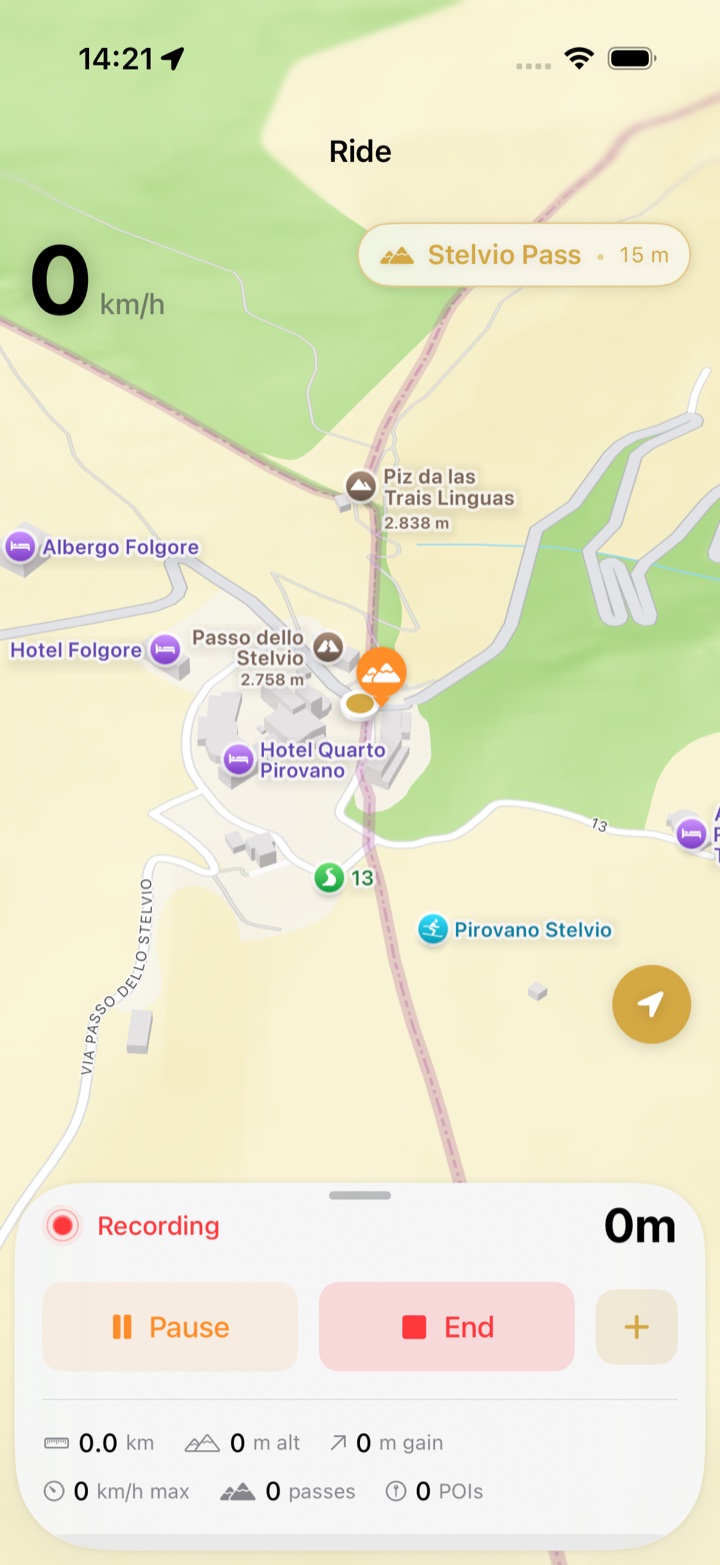
The alert is on screen and haptic. It is not a notification, so there is nothing to allow in iOS Settings, and it does not make a sound in a helmet headset.
How an alert is chosen
- Only passes you have not crossed are announced. Passes already in your collection stay in the list without an alert.
- Distance is measured as the crow flies and the alert fires once per pass per ride.
- Passes closer than your detection radius are being detected, not announced.
Steps: see it in action
- Make sure Pro is active (Home › Settings shows a Pro badge).
- Open the Ride tab and tap Start Ride.
- Pull up the sheet at the bottom of the ride screen. Nearest Passes lists what is ahead; the closest one also sits in the pill above the map.
- Ride towards one. At 5 km it switches to Approaching and the phone buzzes.
There is no separate on/off switch. If you want a quiet ride, leave the sheet collapsed; the buzz is short and fires only once per pass.
Troubleshooting
- No alert came. Check that a ride was recording, that Pro is active, and that the pass was not already in your collection. Detection and alerts both stop when you tap End.
- An alert came for a pass I could not reach. 5 km in a straight line can be two hours by road when the pass is across the valley. The driving ETA next to each pass tells you which ones are really close.
- Too many alerts in the Dolomites. Dense regions produce dense alerts. Each pass alerts only once per ride, so it settles down quickly.
- The list is locked. Nearest Passes shows See passes ahead with a lock for free users. Upgrade in Home › Settings › Upgrade to Pro.